Security daily activity report software
A daily activity report, a DAR, is the shift record you hand your client: who was on post, what time they arrived and left, which patrols they ran, what they found, and what they did about it.
Apeiron CAD writes it as the shift happens. The guard clocks in, scans checkpoints, changes status and types their notes at clock-out. The report assembles itself from that data and goes out on your letterhead.
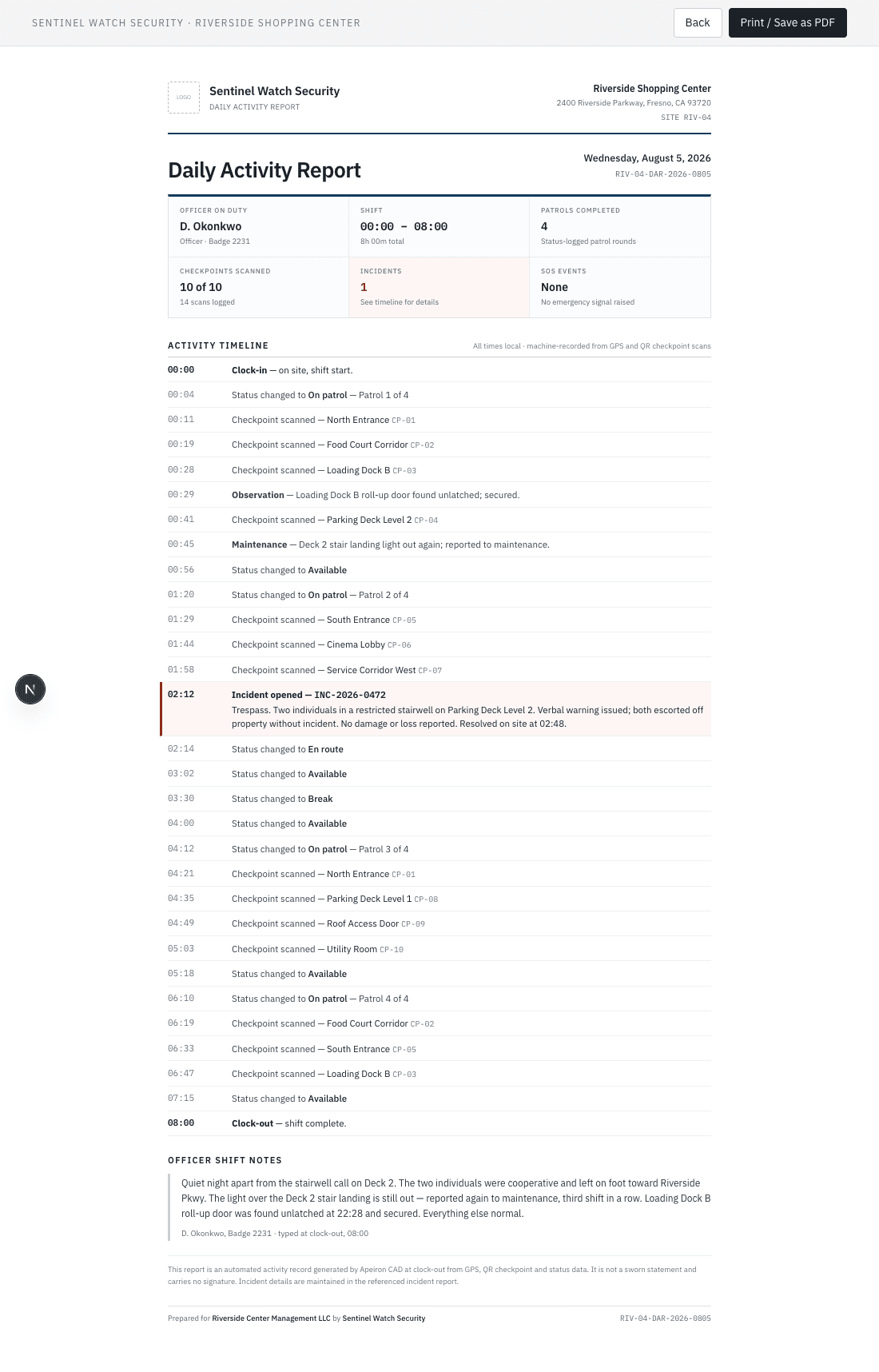
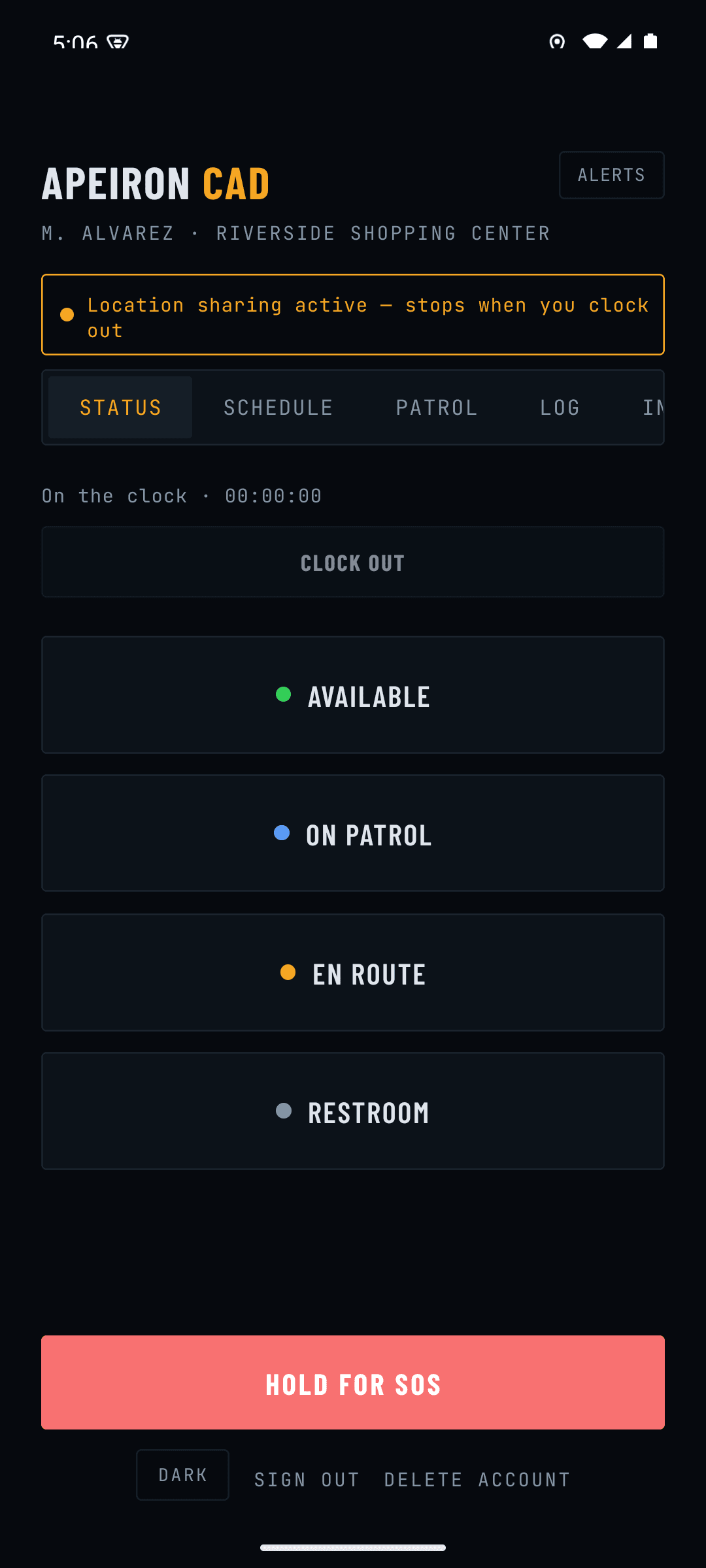
The guard's phone is the input. Status changes, patrol scans, incidents and the shift notes they type at clock-out all land in the same timeline the client reads. Nothing is re-typed by an office admin.
Three steps, none of them yours.
- STEP 01 · CLOCK-OUT
The guard types their shift notes and clocks out. The report closes on the spot with the shift's real timestamps.
- STEP 02 · YOUR TOGGLES
You decide which clients see activity reports at all: one switch for the company, one per client. Both off by default.
- STEP 03 · PUBLISHED
The client opens their portal and reads the DAR on your letterhead, or prints it to PDF. No email chase, no morning admin.
Run your next 90 days on it for $99 a month.
Companies up to 25 active guards, month-to-month, cancel anytime, in exchange for a 15-minute weekly feedback call.
Prefer to talk it through? (414) 367-8679